Shakes, proximity and 3D carousels, as real keyframes.
20+ entrances, 38+ curves, 18+ cut shakes, proximity rigs and 3D carousels. All of it lands as keyframes and sliders you can change.
- 20+entrances
- 18+cut shakes
- 38+curves


Tutorial
Watch the tutorial.
A walkthrough of the Motion page inside After Effects: an entrance, an expression, a curve, shakes on every cut, and a carousel built and baked.
The Motion walkthrough is being recorded. Until it is up, the 7-day trial has every feature on this page.
Everything on the Motion page.
Motion that would take a dozen keyframes and a trip to the graph editor, set up in the panel and built on your layers as things you can still edit.
Motion › Shakes
A cut shake on every cut, in one go.
18+ cut shakes in four groups: Jolt, Flow, Light and Reel. Place one at the playhead, or on every cut in a selection at once.
Each shake is a short adjustment layer you can move, trim or delete, and the stage loops a real clip so you see it before you commit.
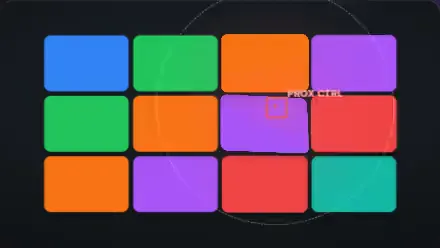
Motion › Proximity
Layers that react to a null.
Move a null effector, and the layers near it move, scale, tilt, fade or blur. 10+ templates get you started, from a drift wall and a magnify dock to text pressure and a repel field.








Motion › Proximity › Carousel
12+ carousels in 3D, each on one null.
Cylinder, fan, ring, polaroid, helix, coverflow, orbit and more, each driven by one null with sliders.
Spin it by keyframes or by speed, bake it to keyframes when you are happy, or remove the rig and get your layers back as they were.
Motion › Graph editor
Same move. Different curve.
The coloured square follows the curve you pick; the grey one moves at a constant speed for comparison. The graph editor in Hextion holds 38+ curves like these, plus the ones you save.
Expo outgrey square: linear
An illustration drawn in your browser.

Motion › Animate
Entrances with a fine-tune panel.
20+ entrances in four feels, Clean, Bouncy, Punchy and Soft, for text, shapes or cards. Before you apply, set direction, distance, ease, fade, scale, spin, blur, length, stagger and order.
They land as real keyframes on your layers, so everything else in After Effects still works on them.

Motion › Motion expressions
Wiggle, float and physics, with sliders instead of code.
22+ motion expressions in four groups: Wiggle, Shake, Float and Physics. Handheld camera, jitter, drift, wind sway, pendulum, inertia and more.
Each one comes with Amount and Speed sliders, so you tune it by eye instead of editing numbers in an expression.

Motion › Graph editor
A large curve editor you can feel before you apply.
38+ curves: Bezier eases from Sine to Back, physics curves and the ones you save yourself. Drag the handles or type the values.
Watch the preview move, then apply the curve to the selected keyframes.
Every page of the ring
Middle-click anywhere on this site to open the ring
Get every page of Hextion. Free for 7 days.
Every template, every sound, every tool. No card needed. All packs included, no subscription. See pricing